For everyone
Signing in from a new device: email code in AESA Core TMS
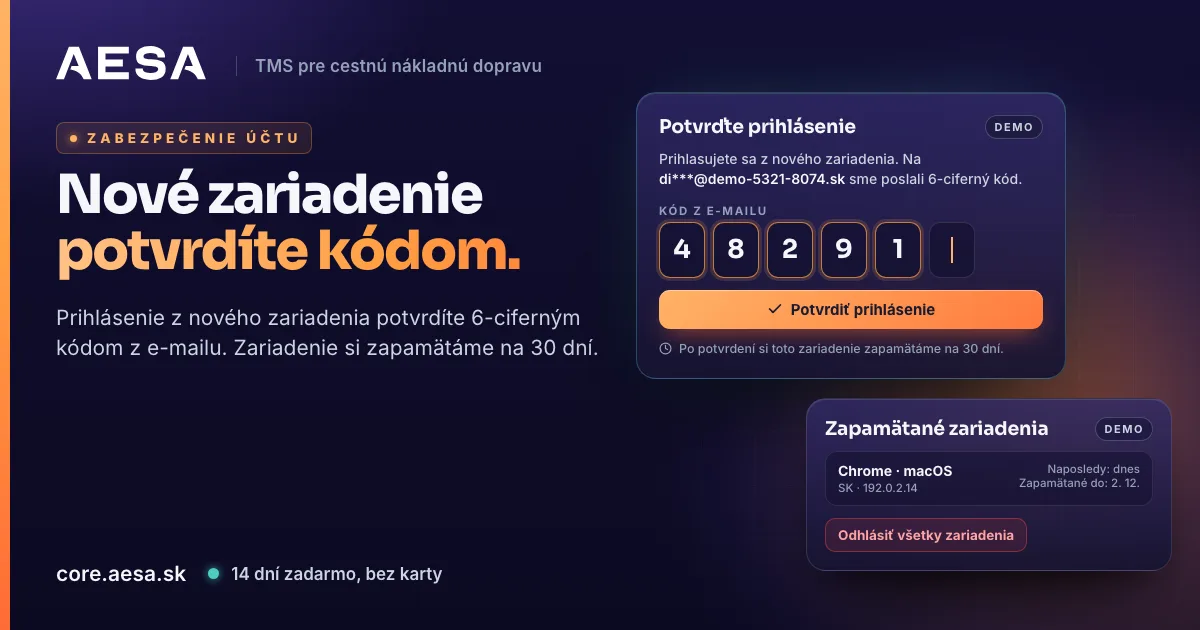
You confirm a new device with a 6-digit code from your email, then we remember it for 30 days. Sign out all devices with one button in Settings.
Published
AESA Core TMS holds your company's orders, customers, carriers and documents. That is why we are gradually switching on confirmation of sign-ins from a new device with a code that arrives by email. Anyone who knows your password but has no access to your email cannot get into the account.
What it looks like when you sign in
- On a new computer, in a new browser or on a new phone, you enter your email and password as before.
- The Confirm your sign-in screen opens with the sentence "You are signing in from a new device" and your email address, to which we sent a 6-digit code.
- You enter the code from the email in the Code from the email field and click Confirm sign-in.
- Done. We remember this device for 30 days. While that lasts, signing in from it does not ask for a code. After 30 days you confirm it again.
The code is valid for 10 minutes. If you enter it incorrectly, the app tells you how many attempts are left. Signing in from a device we already know works as before.
Code did not arrive?
- Check the Spam or Junk folder too.
- Send yourself a new code with the Send a new code button. It is available 60 seconds after the previous one was sent, and the countdown is shown on the screen.
- The email with the code also shows the time, place and device from which someone is signing in. If it is not you, do not give the code to anyone, click Sign out and change your password.
The code from the email is a second key to your account. The password alone is not enough to sign in from a new device.
Remembered devices in Settings
In Settings → Security you will find the Remembered devices card. It lists the devices from which you confirmed a sign-in with a code: the browser and system, the country, when you last used it and until when we remember it.
Below the list is the Sign out all devices button. Use it when you signed in on someone else's computer, lost a laptop or phone, or want to be sure the account is not left open anywhere else.
- The button signs out all remembered devices, including the one you are on right now.
- The next sign-in from anywhere sends a code to your email.
- Anyone who wants to sign in again needs both the password and the code from your email.
Why we do this
A transport system holds prices, customers, carriers and drivers' contact details. A password can be spied on, guessed, or left saved in the browser of a computer that someone else sits down at. The code from the email ensures that a stranger's sign-in does not go through without access to your mailbox, even if they know the password.
Who in your company sees prices, and what carriers and customers see, is described in the article Who sees your orders, customers and prices in AESA Core TMS. You will find the other changes of the past month in the overview What's new in AESA Core TMS: October 2026.
Where to find more
A step-by-step guide is in the AESA Core TMS guide. How a freight forwarder brings orders, carriers and tracking together in one system is shown on AESA Core TMS for freight forwarders.
Create your company account in a few minutes. Try it free for 14 days, no payment card needed. We verify every company within 24 hours, so there are no anonymous companies on the platform.