For everyone
What's new in AESA Core TMS: October 2026
October: a Documents tab in the order detail, colleagues' changes live, verified companies and price per km on the exchange, AI fills the whole load.
Published
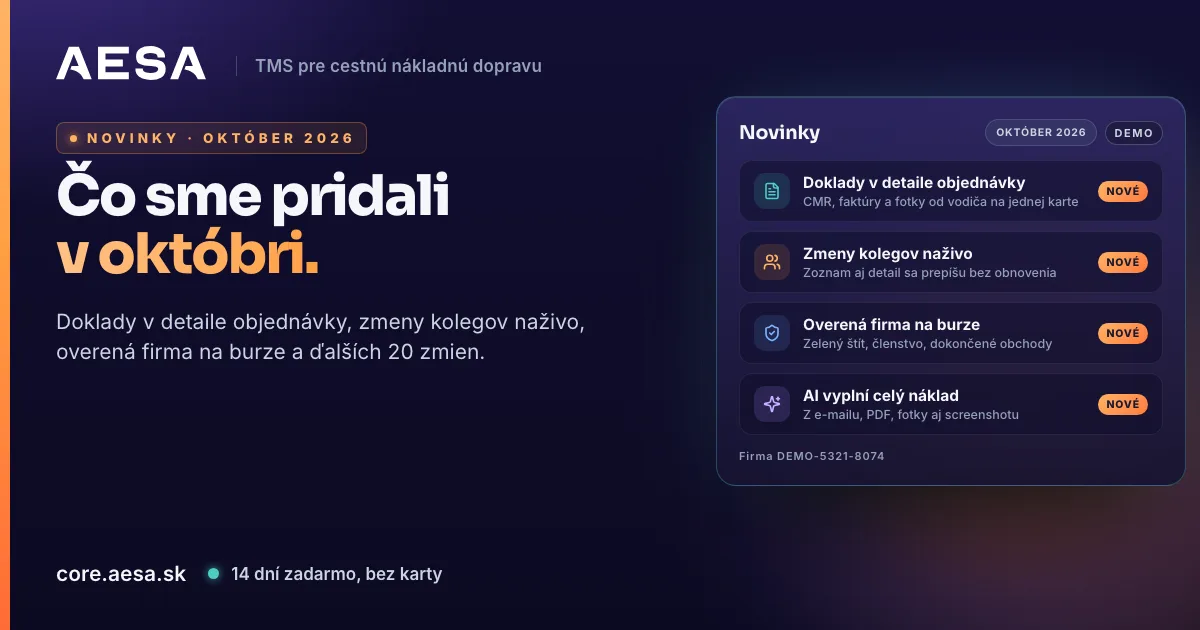
In October AESA Core TMS, the system for orders, carriers and drivers, received more than twenty changes. Here are the ones you will notice in daily work, with the place in the app where you find them. The guide at core.aesa.sk/howtouse is updated with every one of them.
Orders and documents
- Documents tab in the order detail. The order detail (the "i" icon) has a new Documents tab between Route and goods and History. At the top are the order's documents with a coloured type icon, name, size, date and who uploaded them. Chips such as "All · Our invoice · CMR from unloading …" keep one type only. For a tracked transport, Photos from the driver follow below with CMR, POD and Other chips and a click to enlarge.
- Colleagues' changes appear at once. When a colleague from your company changes an order, including the price and orders already delivered, everyone sees it in the list and in the open detail without reloading the page. Who changed what and when is on the History tab.
- Report a transport problem. The order detail has an exclamation icon. Pick a category (delay, damage or shortage, missing documents, a problem with the carrier or the customer), write a description and send. The report reaches your colleagues in the bell, on the phone and by e-mail and is written to the order's History. The company administrator sets who receives reports in Settings → Notifications.
- Name of an uploaded document. When you leave the Name field empty, the document keeps your file name. The "type · order number" name is used only when photos are merged into one PDF.
- 18-tonne truck is in the vehicle type list between 12 t and semi-trailer, also on the carrier card and in the filter. The order PDF prints it in six languages.
- Carrier payment terms in the PDF. The order PDF prints the same payment terms you see in the detail: a value entered on the order comes first, otherwise the terms from the carrier card.
- Transport notes in every PDF language. When you have no terms written in the PDF language, the PDF inserts your terms in another language, English first. Nothing is added or translated.
- Contact person on the order. The order carries the e-mail and phone of the person you select. A person without an e-mail gets the company's general e-mail from the card, never a colleague selected earlier.
Freight and vehicle exchange
- Verified company. The company that posted an offer carries a green Verified company shield (a VAT ID valid in VIES, or the registration number of a non-payer approved by AESA). The offer detail also shows membership and the number of completed deals. A suspicious offer is reported with a button in the detail footer and reviewed by AESA support.
- Price per kilometre and matches. Under the load price there is a price per kilometre (for a target or fixed price and a route of 50 km or more). The load detail shows Suitable vehicles and the vehicle detail Suitable loads by date, body type, capacity and equipment.
- AI fills the whole load. When adding a load you paste text or upload a file, including a WhatsApp screenshot or a phone photo of a paper. AI fills the stops in order, dates, weight, loading metres, pallets, body type, temperature, ADR and the amount with currency. It reads Slovak, Czech, German, Polish, Hungarian, Romanian and English. Price visibility stays hidden until you change it.
- A VIP offer goes public after a while. For an offer to a partner group or one company you choose whether and when it becomes public (30 minutes to 4 hours) if the partners do not take it.
- More precise specification. Body types gained isotherm, container, flatbed, car transporter, tanker and walking floor; a refrigerated body takes a temperature range.
Customers
- A customer can be a private person. Switch the customer form to Private person and fill in the name, address, phone or e-mail and a personal or document number. The number is stored encrypted and never shown on the order, in the PDF or to the driver. Only a colleague with the "Person identifier – reveal" permission can display it, and every display is logged.
Getting started and registration
- First steps card. A new company sees three steps on the Overview by company type (manufacturer, forwarder, carrier). A click takes you where the step is done; a finished step ticks itself.
- Aesa advises in the first week. For seven days after approval the Aesa assistant sends one tip a day for your company type and skips steps you have already done.
- Verification within 24 hours. We verify every company within 24 hours of the verification code. An e-mail "Registration received" arrives at once; on approval an e-mail with a sign-in button and the end date of the 14-day trial. The freight exchange switches on for every approved company and is free of charge until 31 December 2026.
- Help during registration. A VAT ID without a country code is completed from the country of the registered office. When the server rejects a field, the message names it.
- Installing the web app. In Chrome click the install icon in the address bar. The app gets the AESA icon and the name AESA Core TMS on your desktop.
Mobile and chat
- Documents in the AESA Transport app. The order detail has a Documents row with a count. A tap opens the list and the file in the app; you can upload a document too.
- A contact from another company in chat. A person from another company is found by their full e-mail address. The found contact shows name, company and phone.
Everything above is in the app today. A new company gets 14 days free, no payment card: app.aesa.sk/register.